 1000+ Channels · 130+ Countries · 100% Free
TV Garden - Watch Free Live TV Online
TV Garden is the easiest way to watch live TV online. Stream news, sports, movies, and entertainment from around the world - no signup, no subscription, no credit card needed.

Table of Contents ▸ Show
Welcome to TV Garden
Your Gateway to Global Live Television
TV Garden brings together thousands of free, publicly available live TV streams in one simple place. Pick a country, choose a channel, and start watching instantly.
If you've ever wanted to watch live television from across the world without paying for cable or signing up for yet another streaming service, TV Garden is built for exactly that. The platform aggregates free-to-air TV channels from over 130 countries into a single, easy-to-use interface. Whether you're interested in breaking news from Europe, live football matches from South America, or music channels from Asia, TV Garden makes it all accessible in seconds.
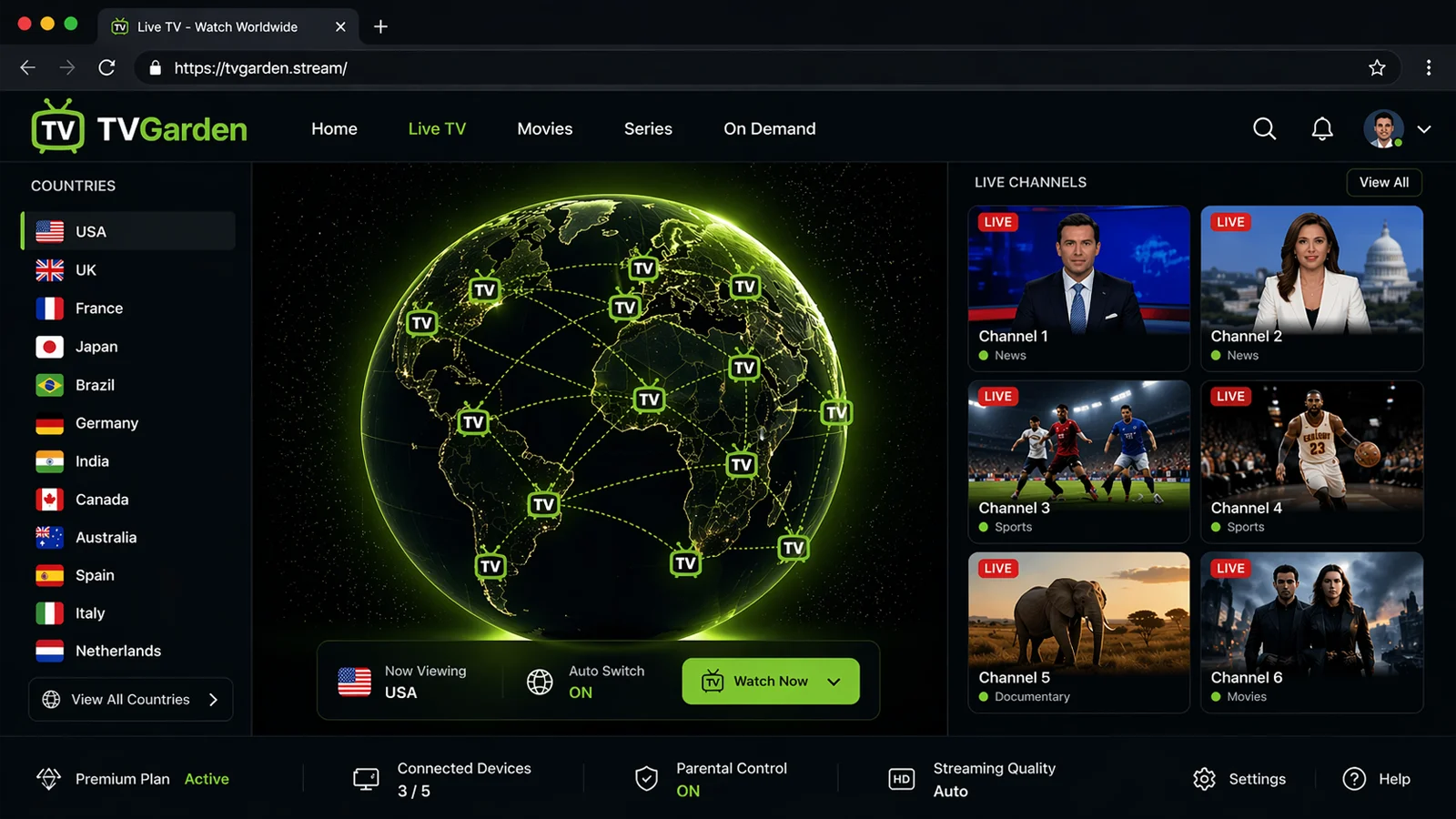
What makes TV Garden different from other free streaming sites is its focus on simplicity. There are no accounts to create, no personal details to share, and no subscription fees to worry about. The interface centers around a beautiful interactive 3D globe - you spin it, click a country, and see every live channel available from that region. Within a few clicks, you're watching real-time broadcasts from anywhere on Earth.
Why People Love It
Key Features of TV Garden
Built for simplicity, powered by the open IPTV community.
01
1000+ Live Channels
Access thousands of live TV channels spanning news, sports, movies, music, kids' content, documentaries, and international programming from every continent.
02
No Signup Needed
Start watching in seconds. No email, no password, no credit card. TV Garden does not track you, collect your data, or require any account to use its full features.
03
Interactive 3D Globe
The signature TV Garden experience. Spin the globe, click a country, and instantly explore its television landscape. A fun way to discover cultures through live broadcasts.
04
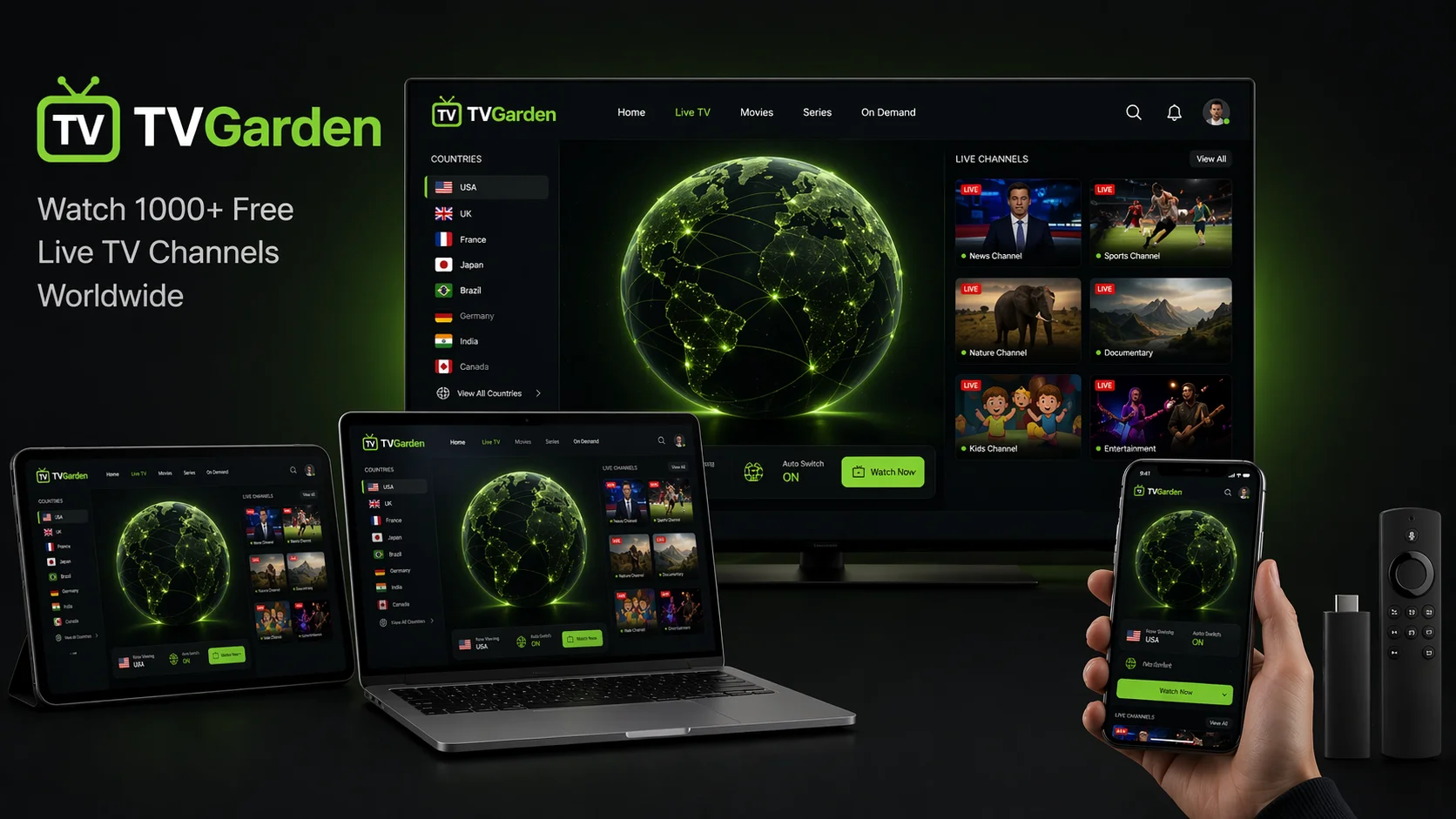
Works on Any Device
TV Garden works on Android, iPhone, iPad, Windows PC, Mac, Smart TV, Amazon Fire Stick, and any browser. No installation required - just open and watch.
05
Completely Free
Every channel on TV Garden is free. There are no premium tiers, no locked content, no trial periods that turn into surprise charges. Free means free, permanently.
06
Regularly Updated
The underlying channel list is maintained by the global IPTV open-source community, which means new channels are added and broken streams are fixed on an ongoing basis.
How It Works
Start Watching TV Garden in 3 Steps
The fastest way to watch free live TV in your browser.
1
Open TV Garden
Visit the live page in any modern browser - Chrome, Safari, Firefox, or Edge. Nothing to install.
2
Pick a Country
Spin the interactive globe or use the country sidebar to choose where you want to watch TV from.
3
Press Play
Select any channel from the list and the live broadcast starts playing instantly in your browser.
What to Watch
Popular TV Garden Channel Categories
Every type of live content you could want, organized by genre and region.
📰 News Channels
Stay informed with live news from around the world. TV Garden features channels like BBC News, CNN, Al Jazeera English, France 24, Deutsche Welle, NHK World, Sky News, Euronews, and hundreds of regional news broadcasters.
⚽ Sports Channels
Catch live sports from leagues and tournaments across the globe. TV Garden includes a wide selection of free-to-air sports channels covering football, basketball, cricket, rugby, tennis, motorsport, and more.
🎬 Movies & Entertainment
Discover free movie and entertainment channels broadcasting classics, international cinema, reality TV, game shows, and family programming from studios and networks worldwide.
🎵 Music Channels
Non-stop music videos, live concerts, and genre-specific channels from around the world. From K-pop to Latin hits, classical to rock, every style has a home on TV Garden.
🧒 Kids & Family
Child-friendly cartoons, educational programming, and family entertainment channels broadcasting in multiple languages. A safe way to discover shows from different cultures.
🌍 International
Access regional TV from 130+ countries - perfect for expats, language learners, travelers, and curious viewers who want to experience the world through its television.
Every Device
Watch TV Garden Anywhere
TV Garden works in any modern browser. Here's how to use it on each of your devices.
📱 Android
Open TV Garden in Chrome, tap the menu, and "Add to Home Screen" for an app-like experience with offline access to the interface.
Android Guide🍎 iPhone / iPad
Open TV Garden in Safari, tap the share icon, and "Add to Home Screen." Works like a native app with the TV Garden icon on your home screen.
iOS Guide💻 Windows & Mac
TV Garden runs in any desktop browser - Chrome, Firefox, Safari, or Edge. No installation needed; just open the site and start watching in full-screen mode.
PC Guide📺 Smart TV
Use your Smart TV's built-in browser or cast from your phone to the big screen. Works on Android TV, Google TV, and most modern smart TV platforms.
Smart TV Guide🔥 Amazon Fire Stick
Install a browser like Silk or Firefox on your Fire Stick, open TV Garden, and enjoy free live TV on the big screen without a cable subscription.
Fire Stick Guide🎮 Other Devices
TV Garden runs on anything with a modern browser: Chromebook, gaming consoles with browsers, tablets, Linux machines, and more. If it has a browser, it has TV Garden.
Full GuideSafe & Legal
Is TV Garden Safe and Legal to Use?
This is one of the most common questions people ask before using any free streaming service. The short answer is yes - TV Garden itself does not host, upload, or broadcast any video content. It links to publicly available, free-to-air streams that have been made available by broadcasters and aggregated by the open-source IPTV-org community on GitHub. These are the same signals that anyone with a satellite dish or over-the-air antenna could legally receive in the channel's home country.
Because TV Garden doesn't require any account, doesn't ask for personal data, and doesn't run invasive tracking, it's also one of the safer options compared to apps that demand email verification, phone numbers, or payment details. There's nothing to hack, nothing to leak, and nothing to cancel.
For a full breakdown of how TV Garden works and why it's a legitimate service, see our guide on what TV Garden is and how it works, or read our detailed answer to is TV Garden legal.
FAQ
Frequently Asked Questions
Everything people usually ask about TV Garden.
What is TV Garden?
TV Garden is a free live TV streaming platform that lets you watch thousands of television channels from more than 130 countries directly in your web browser. It uses an interactive 3D globe to help you discover channels by country, and it requires no signup, no subscription, and no personal information.
Is TV Garden really free?
Yes. TV Garden is 100% free to use. There are no premium plans, no hidden costs, no trial periods, and no credit card required. The service relies on publicly available channels from the IPTV-org open-source project.
Do I need to create an account to use TV Garden?
No. TV Garden works instantly without any signup. You don't need to provide an email, phone number, or password. Just open the site and start watching.
Does TV Garden have an app?
TV Garden runs directly in your web browser on any device, so a separate app is not strictly needed. However, you can add TV Garden to your home screen on Android and iOS for an app-like experience. See our download page for step-by-step instructions.
How many channels are on TV Garden?
TV Garden provides access to over 1,000 live TV channels from more than 130 countries. The exact number changes regularly as new channels are added and broken links are removed by the community that maintains the underlying playlist.
Why is my channel not working on TV Garden?
Some channels may be geo-restricted, temporarily offline, or recently taken down by their broadcaster. If a specific channel won't play, try refreshing, selecting a different channel, or check our troubleshooting guide.
Can I use TV Garden on my Smart TV or Fire Stick?
Yes. As long as your Smart TV or Fire Stick has a web browser, you can open TV Garden and watch on the big screen. See our dedicated Smart TV and Fire Stick guides for setup details.
Is TV Garden legal?
TV Garden itself does not host any video content. It links to publicly available free-to-air streams. The service operates in the same legal space as any public IPTV aggregator. For the full answer, read is TV Garden legal.
Start Streaming Free Live TV Right Now
Thousands of channels. 130+ countries. No signup. No fees. Just press play.